
Project overview
Genesis CHMS (Church Management System) is a SaaS platform designed to help religious organizations overcome disorganization, poor communication, and disengagement between leaders and their members. The platform replaces disconnected tools with a unified system for member tracking, donation management, event coordination, team communication, and multi-branch data visibility.
Target users: Religious leaders, administrators, volunteers, and church members across multiple branches.
The problem
Religious organizations faced four core challenges:
Disconnected tools—Organizations used separate tools for giving, events, and member tracking
Disorganization—No centralized system for member data, volunteer teams, or branch activities
Communication gaps – Leaders struggled to reach members and volunteers effectively
Disengagement—Members felt disconnected from leadership and events
Poor data visibility—Leaders couldn’t see relevant data across volunteer teams and multiple branches
My role
UX/UI Designer on a team of:
- 2 Designers
- 4 Developers
- 1 Project Manager
- 1 QA
I conducted user interviews with religious leaders and members to understand their pain points, then designed wireframes, interactive prototypes, and usability-tested solutions across all core modules.
Design Process
1. User Research (Interviews)
I interacted directly with religious leaders and church members to uncover their daily frustrations. Key insights included the following:
- Leaders spent too much time switching between tools
- Members felt out of the loop on events and announcements
- Volunteer coordination was chaotic and manual
- Branch-level data was nearly impossible to consolidate
2. Wireframing
Based on research findings, I created low-fidelity wireframes to establish layout, navigation, and information hierarchy for all modules.
3. Interactive Prototypes
I built clickable, interactive prototypes to simulate real user flows — from a leader viewing branch analytics to a member registering for an event or submitting a donation.
4. Usability Testing
I conducted usability testing with religious leaders and members to validate designs. Feedback was incorporated iteratively to improve clarity, reduce clicks, and ensure non-technical users could navigate confidently.
Modules I Designed
I personally designed every core module of Genesis CHMS:
| Module | Purpose |
|---|---|
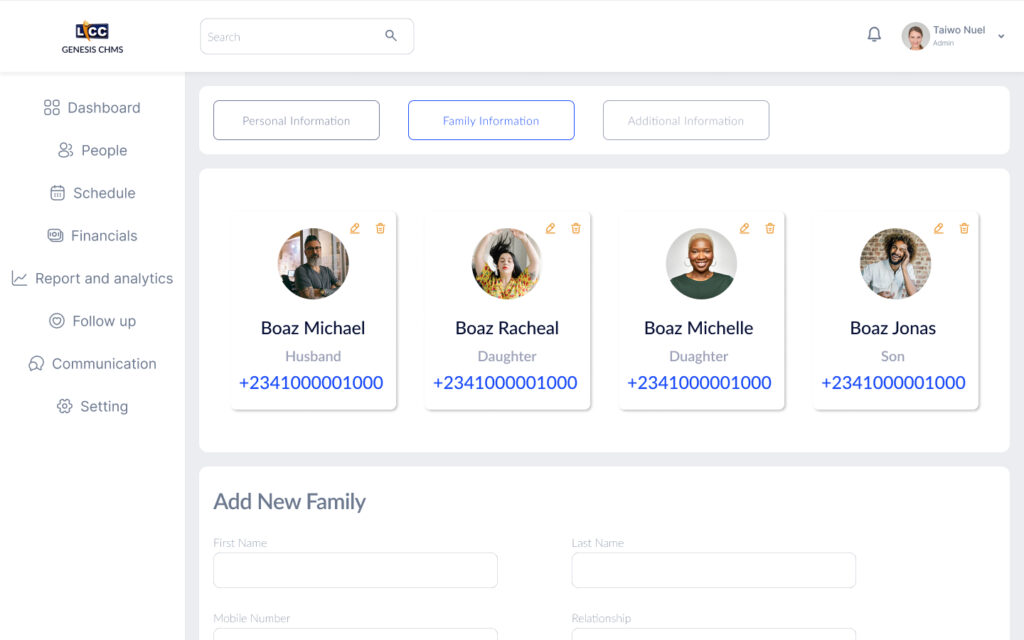
| Member / Subordinate Tracking | Centralized member profiles, roles, and activity history |
| Donation / Giving Management | Track contributions, generate receipts, view giving trends |
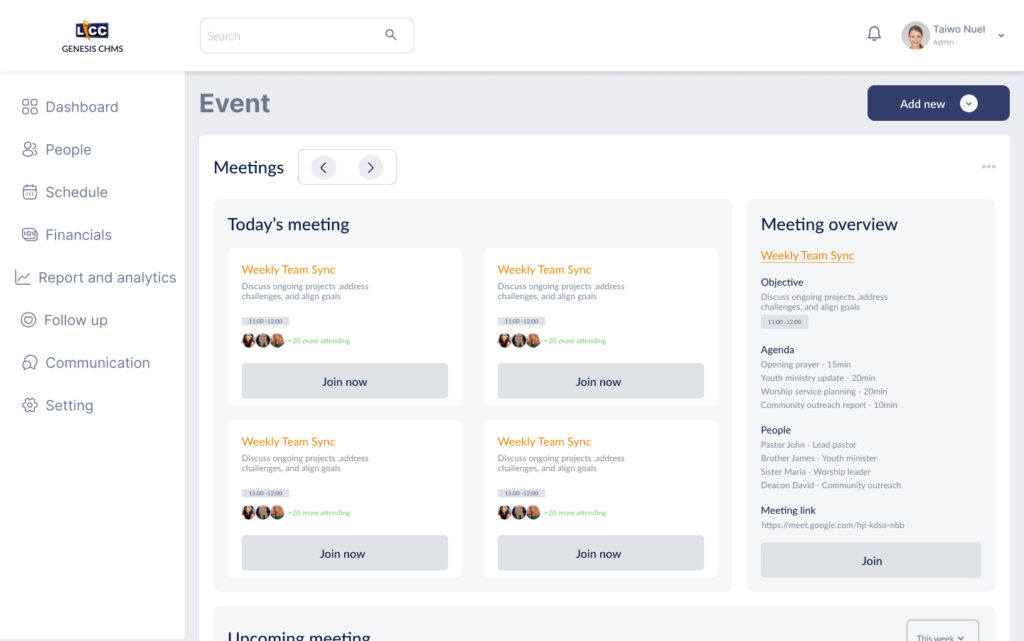
| Event Coordination | Create, manage, and promote events across branches |
| Communication (Announcements & Messaging) | Broadcast messages and enable two-way communication |
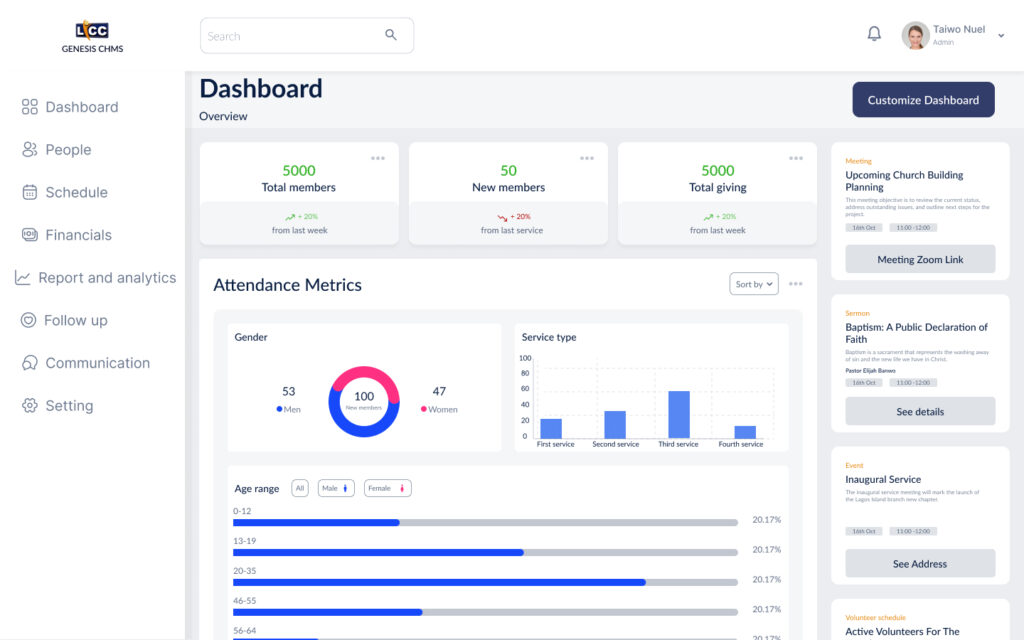
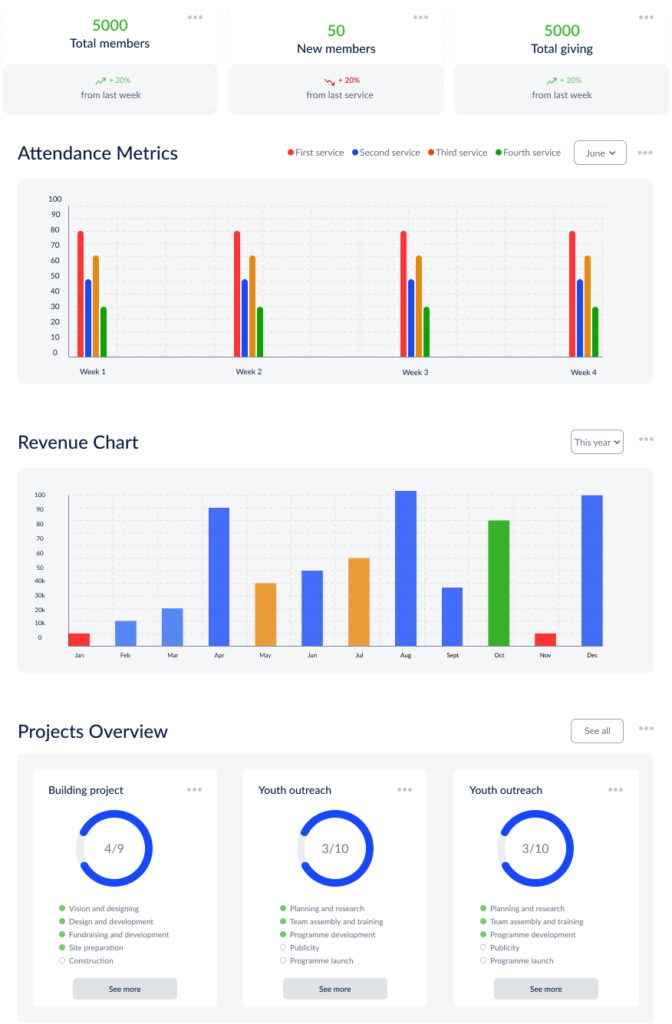
| Dashboard / Analytics for Leaders | Real-time insights on engagement, giving, and attendance |
| Volunteer Team Management | Assign shifts, track availability, manage volunteer lists |
| Multi-Branch Data View | Aggregate and compare data across all organization branches |
Design Decisions & Trade-offs
- Simplicity over complexity – Religious leaders are often non-technical. I prioritized clear labels, familiar patterns, and minimal cognitive load.
- Role-based dashboards – Leaders, volunteers, and members see only what they need, reducing overwhelm.
- Mobile-responsive design – Many members engage via phone, so all modules work seamlessly on mobile devices.
Outcomes & Impact
| Metric | Result |
|---|---|
| Launch status | Not yet launched (in development) |
| Anticipated user base | 10,000+ users across religious organizations |
| User feedback (from testing) | Leaders reported feeling more organized and confident in managing branches and volunteers |
The strong demand — over 10,000 expected users pre-launch — validates that Genesis CHMS solves real, urgent problems for religious organizations.
Challenges & Learnings
Hardest challenge:
Balancing simplicity for non-technical religious leaders with the depth of data needed to manage multiple branches and volunteer teams.
Key learning:
Religious organizations value trust and clarity over flashy features. Every UI decision had to feel familiar, respectful, and reliable—not trendy or complex.
What I would do differently:
Introduce a design system earlier to ensure even faster consistency across modules, especially with two designers on the team.
Tools Used
- Figma (wireframes, prototypes, UI design)
- Miro (research synthesis)
- Usability testing platform (e.g., Maze or UserTesting)
Conclusion
Genesis CHMS is a comprehensive, user-centered SaaS platform that equips religious organizations to move from chaos to clarity. Through direct user research, iterative prototyping, and usability testing, I delivered a full suite of modules that address the real pain points of leaders, volunteers, and members—at scale.